 Exclusive Products
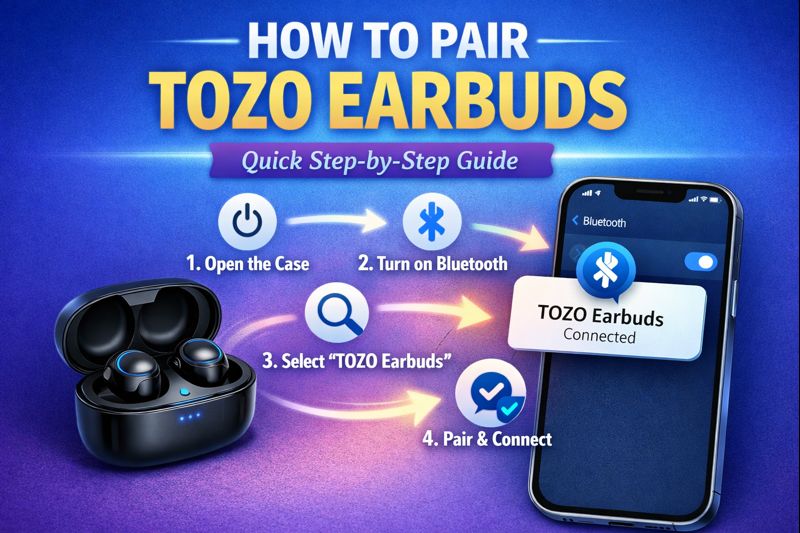
How to Pair TOZO Earbuds: Quick Step-by-Step Guide
Last updated: December 2025
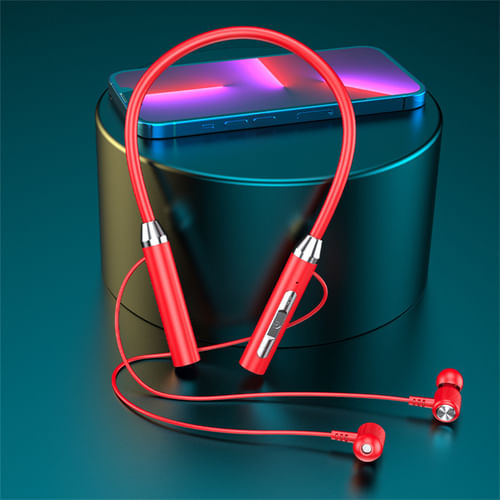
Wireless Bluetooth 5.5 Neckband Headset with Mic (Red)
Stable Bluetooth 5.5 connection with clear stereo sound and noise reduction. Comfortable neckband design for long use.
⏰ Offer Ending Soon
Buy Now at $34
Upgrade today for better calls and uninterrupted music.
Why Choose TOZO Earbuds?
Before we dive into the pairing process, let’s quickly highlight why TOZO earbuds are so popular:
- Superior Sound Quality: TOZO earbuds deliver excellent sound with deep bass and clear highs.
- Comfortable Fit: Designed to be lightweight and ergonomic, they provide a secure and comfortable fit.
- Affordable Price: Compared to other brands, TOZO offers quality earbuds at a budget-friendly price.
- Long Battery Life: TOZO earbuds are known for their long-lasting battery, giving you hours of music or talk time on a single charge.
- Waterproof: Many models are water-resistant or waterproof, making them ideal for workouts and outdoor activities.

Wireless Bluetooth Headphones with FM Radio & Micro SD (Black)
Enjoy wireless music anytime with FM radio and Micro SD support. Perfect for daily use, travel, and workouts.
🔥 Limited Stock Available
Buy Now at $29
Don’t wait—grab this all-in-one wireless headset before it sells out.
Step-by-Step Guide: How to Pair TOZO Earbuds
Now, let’s get to the most important part – pairing your TOZO earbuds. The process is simple, but knowing the correct steps ensures you avoid common mistakes.
- Unbox Your TOZO Earbuds: Start by removing your TOZO earbuds from their charging case. Make sure both the left and right earbuds are placed properly in the case when not in use.
- Charge the Earbuds: Before you begin pairing, ensure that your TOZO earbuds are fully charged. If the earbuds are low on battery, place them in the charging case for a few minutes to ensure they have enough charge to begin the pairing process.
- Power On the Earbuds: To turn on your TOZO earbuds, simply remove them from the charging case. They should automatically enter pairing mode and the LED light on each earbud will begin flashing alternately (usually red and blue). This indicates that your earbuds are ready to connect.
- Enable Bluetooth on Your Device: Next, make sure Bluetooth is enabled on the device you want to pair with. This could be your phone, tablet, laptop, or any other Bluetooth-enabled device. Navigate to your device’s Bluetooth settings and ensure that the feature is turned on.
- Select TOZO Earbuds from the List: Once Bluetooth is enabled, your device will start scanning for nearby Bluetooth devices. You should see TOZO earbuds listed as an available option. Select the TOZO earbuds from the list to initiate the connection.
- Complete the Pairing Process: Once selected, your device will establish a connection with the TOZO earbuds. You might hear a confirmation sound in the earbuds, indicating the pairing is successful. The LED light on the earbuds will also stop flashing and turn solid, confirming the connection.
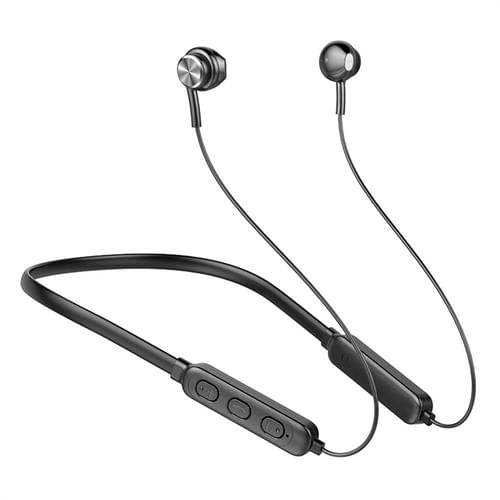
Wireless Sports Neckband Headphones Bluetooth (Black)
High-definition sound with a secure neckband fit. Built for jogging, cycling, exercise, and travel.
⚡ Limited-Time Deal
Buy Now at $20
Perfect choice for active users—don’t miss this price.
What to Do If Pairing Doesn’t Work
Sometimes, you might run into issues while pairing your TOZO earbuds. Here’s a quick troubleshooting guide:
- Reset Your Earbuds: If the earbuds are not pairing, try resetting them. To reset your TOZO earbuds, place them back in the charging case, close the lid, and wait for about 10 seconds. Then, remove them again and try pairing.
- Forget Previous Connections: If your TOZO earbuds are already paired with another device, they might not connect to your new one. Go to your device’s Bluetooth settings and forget the previous connection. Afterward, try pairing your earbuds again.
- Check Bluetooth Compatibility: Make sure the device you’re pairing with is compatible with Bluetooth 5.0 or the version your earbuds support. Most modern devices should work fine, but older devices may encounter issues.
- Charge Your Device and Earbuds: Low battery levels on either your TOZO earbuds or the device you’re pairing with can interfere with the connection. Ensure both are charged before attempting to pair again.
- Ensure the Earbuds Are In Pairing Mode: When you remove your TOZO earbuds from the charging case, make sure they are in pairing mode. If the LED light is not flashing red and blue, the earbuds might not be in pairing mode. Place them back in the case and remove them again to trigger pairing mode.
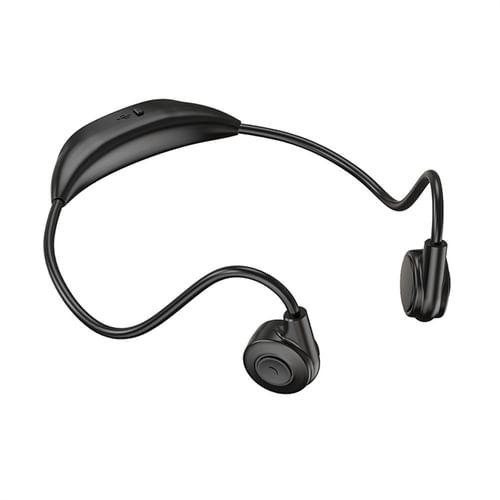
M2 Bone Conduction Sports Wireless Earphones with Mic (Black)
Designed for running, cycling, hiking, and driving. Built-in mic for hands-free calls with open-ear safety.
🔥 Selling Fast
Buy Now at $40
Upgrade your sports audio experience today.
What to Do If Pairing Doesn’t Work
Sometimes, you might run into issues while pairing your TOZO earbuds. Here’s a quick troubleshooting guide:
- Reset Your Earbuds: If the earbuds are not pairing, try resetting them. To reset your TOZO earbuds, place them back in the charging case, close the lid, and wait for about 10 seconds. Then, remove them again and try pairing.
- Forget Previous Connections: If your TOZO earbuds are already paired with another device, they might not connect to your new one. Go to your device’s Bluetooth settings and forget the previous connection. Afterward, try pairing your earbuds again.
- Check Bluetooth Compatibility: Make sure the device you’re pairing with is compatible with Bluetooth 5.0 or the version your earbuds support. Most modern devices should work fine, but older devices may encounter issues.
- Charge Your Device and Earbuds: Low battery levels on either your TOZO earbuds or the device you’re pairing with can interfere with the connection. Ensure both are charged before attempting to pair again.
- Ensure the Earbuds Are In Pairing Mode: When you remove your TOZO earbuds from the charging case, make sure they are in pairing mode. If the LED light is not flashing red and blue, the earbuds might not be in pairing mode. Place them back in the case and remove them again to trigger pairing mode.

G22 Wired 3.5mm Gaming Earphones with Mic (Black)
Dynamic sound with noise reduction. Ideal for gaming, calls, and entertainment.
🎯 Best Budget Pick
Buy Now at $24
Affordable gaming audio—limited stock available.
Pairing TOZO Earbuds with a Laptop or Computer
Pairing your TOZO earbuds with a laptop or desktop computer works in much the same way. Make sure Bluetooth is enabled on your computer and then follow the same steps as with a smartphone.
- Go to Bluetooth settings in your computer’s system preferences or control panel.
- Select the TOZO earbuds from the list and pair them.

Fancy High Definition Earbuds (Black)
Stylish design with clear sound for everyday music and calls.
⏳ Limited Stock
Buy Now at $89
Simple, stylish, and reliable—order before it’s gone.
Pairing TOZO Earbuds with a Smartwatch
To pair TOZO earbuds with a smartwatch, such as an Apple Watch or a Samsung Galaxy Watch, the process can vary slightly. However, it typically involves opening the Bluetooth settings on the watch and selecting the earbuds from the list of available devices.
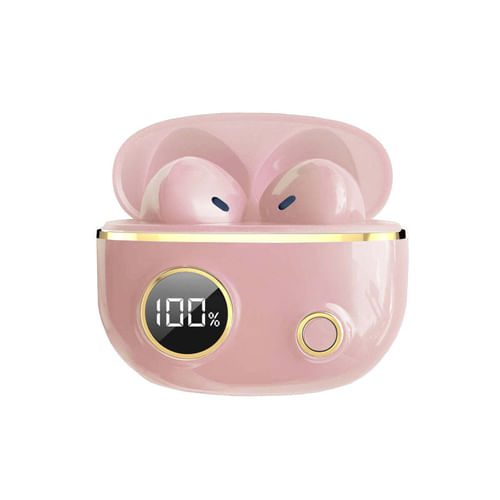
Fancy High Definition Earbuds (Pink)
Trendy look with balanced sound quality. Comfortable for daily use.
🔥 Popular Choice
Buy Now at $89
Perfect mix of style and sound—buy now.
TOZO Earbuds Advanced Pairing Features
Some TOZO earbuds come with advanced features that enhance your pairing experience. Here are a few to look out for:
- Auto Pairing: Many TOZO earbuds offer auto pairing. This feature allows the earbuds to automatically connect to your device as soon as you remove them from the charging case. If your TOZO earbuds are paired with your phone, they will connect as soon as you take them out of the case, making the process even easier.
- Multi-Device Pairing: Some models of TOZO earbuds support multi-device pairing. This means you can pair your earbuds with two devices at the same time. For instance, you can have them connected to both your phone and your laptop, and they will automatically switch between devices as needed.
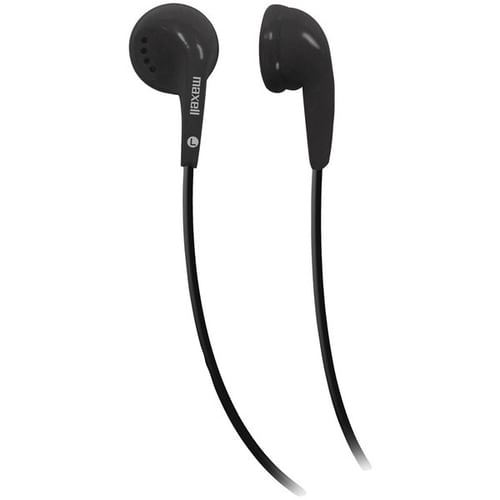
Maxell EB95 Dynamic Wired Earbuds
Trusted brand with clear, consistent sound. Ideal for everyday listening.
⚠️ Price Drop Alert
Buy Now at $24
Grab this reliable audio deal before prices change.
Frequently Asked Questions (FAQs)
Check if your earbuds are in pairing mode and ensure Bluetooth is enabled on your device. Try resetting your earbuds if the issue persists.
Place the earbuds back into the charging case, close the lid for 10 seconds, then remove them again to reset.
Open Bluetooth settings on your iPhone, select TOZO earbuds, and confirm the connection.
Yes, some TOZO earbuds support multi-device pairing, allowing them to connect to two devices simultaneously.
Ensure that the charging case and earbuds are clean and properly connected. If the problem persists, try using a different charging cable.
Yes, you can make and receive calls with TOZO earbuds. The built-in microphone allows for clear voice calls.
TOZO earbuds automatically turn off when placed back in the charging case.
Yes, follow the same process as with your phone. Open Bluetooth settings and select TOZO earbuds from the list.
Yes, TOZO earbuds are compatible with both Siri and Google Assistant, allowing for hands-free control.
Some models of TOZO earbuds offer multi-device pairing, so they will automatically switch between devices when needed.
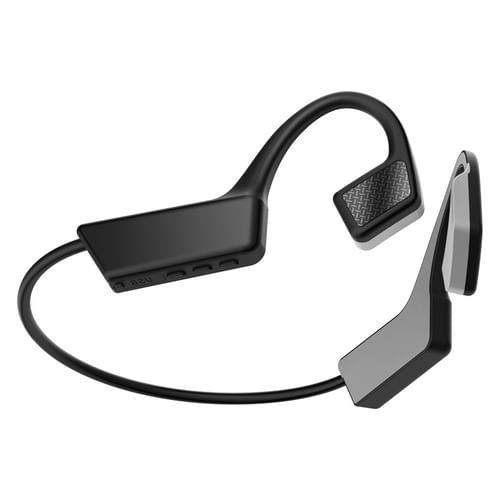
Bone Conduction TWS Wireless Earbuds Bluetooth 5.0 (Dark Grey)
Open-ear design keeps you aware of surroundings while enjoying music. Ideal for sports and outdoor activities.
🚨 High Demand Product
Buy Now at $40
Stock is moving fast—secure yours now.
Conclusion
Pairing TOZO earbuds is a straightforward process, and once you get the hang of it, you’ll be able to enjoy your music, calls, and media without hassle. With excellent sound quality, ease of use, and advanced features like water resistance and noise cancellation, TOZO earbuds are a great choice for anyone seeking high-quality wireless audio at an affordable price. Whether you’re commuting, working out, or just relaxing at home, TOZO has a model to fit your needs.
Looking to buy? Fazter.com offers a wide selection of TOZO earbuds at competitive prices—making it easier than ever to upgrade your audio gear without overspending.