Exclusive Products

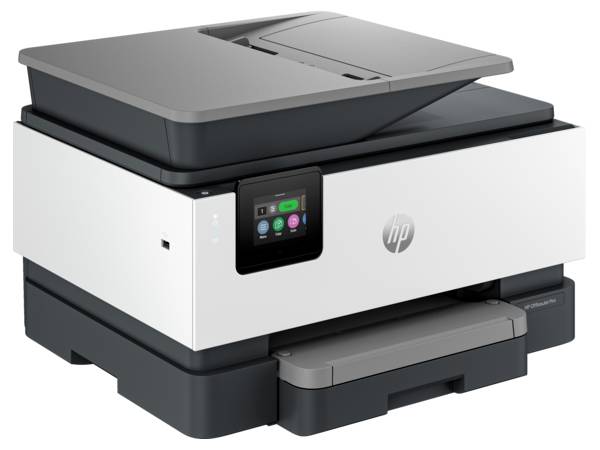
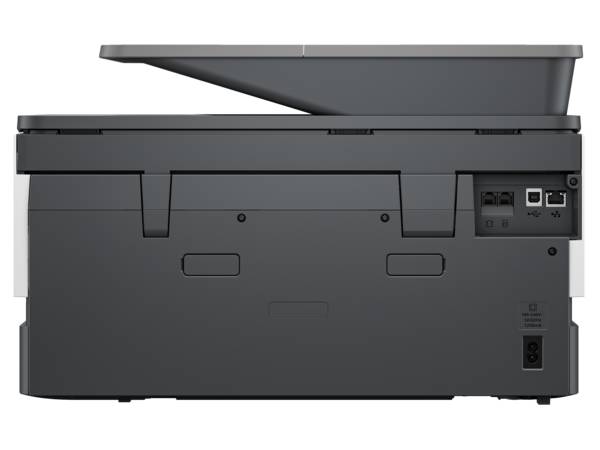
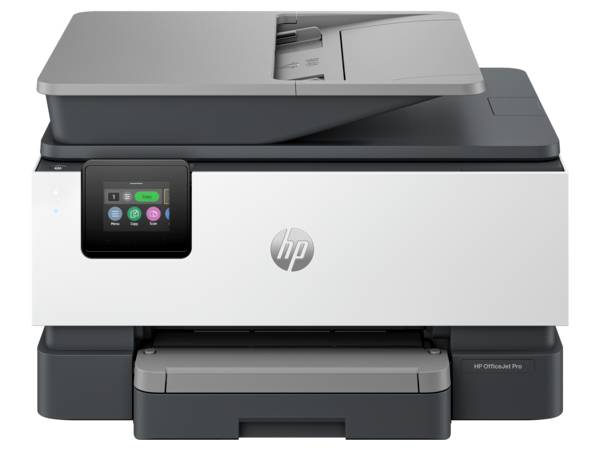
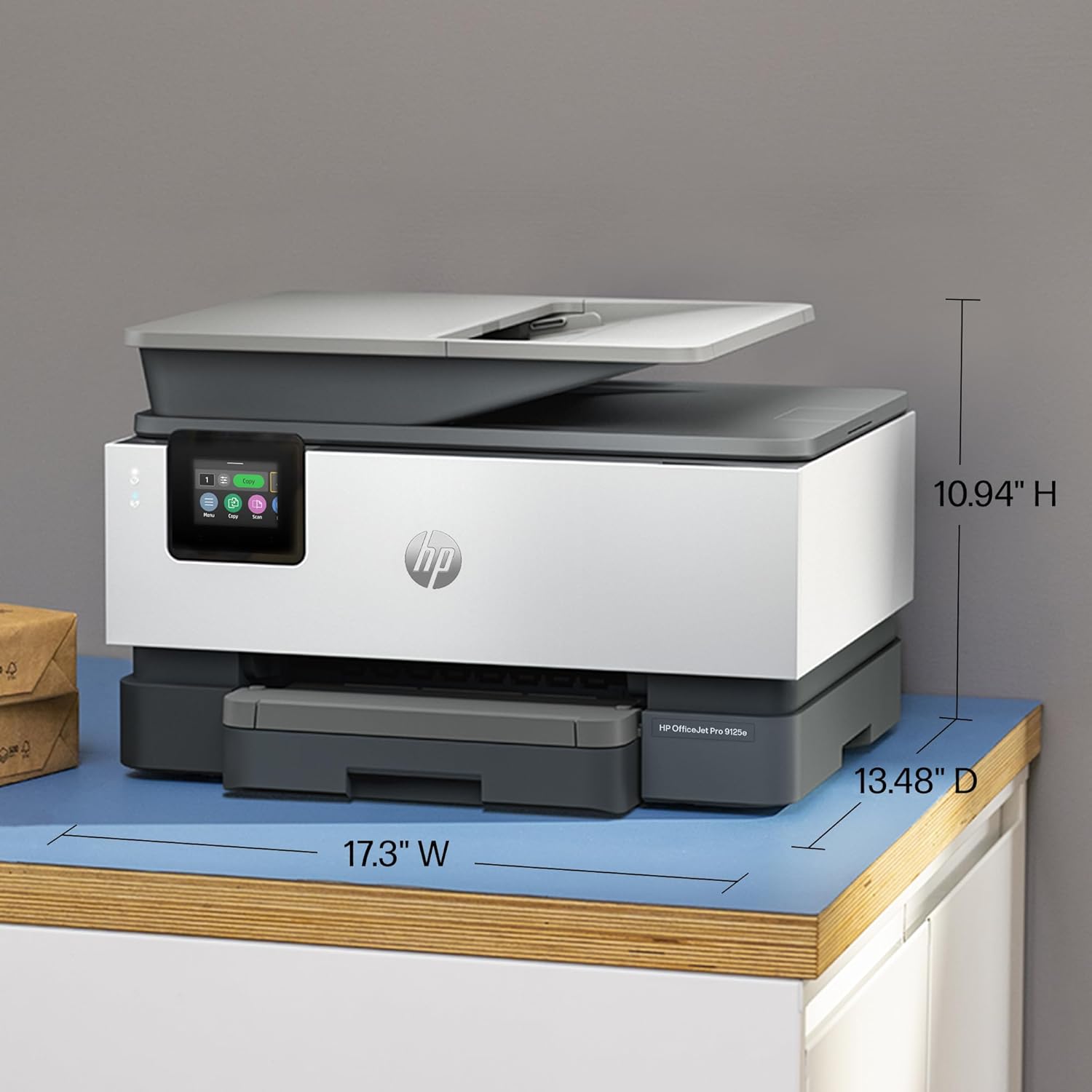
HP OfficeJet Pro 9125e All In One Printer| High-Quality Outputs| 17.3 x 13.48 x 10.94| Print Max Resolution 600 dpi| Thermal Inkjet| Up to 25,000 pages| Multifunctional Capabilities| High-Resolution Printing
$297
$495
40% Off


20 Days Replacement

Free Delivery

1 Year Warranty
Specifications
brand
HP
length
13.48
width
17.3
height
10.94
color
Monochrome
weight
24lbs
Warranty
1 Year
Ratings and Review
4.8
4.8 Ratings and 16 Reviews5
81%
4
19%
3
0%
2
0%
1
0%

Asa Jerome
5
I recently purchased the HP OfficeJet Pro 9125e All-In-One Printer, and I couldn’t be happier with my choice! This printer is an efficient and versatile printing solution that perfectly meets my home office needs. The print quality is outstanding, producing sharp text and vibrant colors for all my documents and photos. I love the speed at which it prints; it saves me so much time on larger projects.
The all-in-one functionality is a huge plus—I can print, scan, copy, and fax without needing multiple devices cluttering my space. The wireless connectivity makes it easy to print from my laptop and phone without any hassle. Plus, the setup was straightforward, and the user interface is very intuitive. If you’re looking for a reliable printer that can handle various tasks while delivering excellent performance, I highly recommend the HP OfficeJet Pro 9125e!
Paul
5
As a small business owner always on the go, I needed a printer that could keep up with my fast-paced environment, and the HP OfficeJet Pro 9125e turned out to be the perfect match. I first came across the HP 9125e on Amazon, where it stood out among other Hewlett Packard printers for sale, thanks to its advanced features like Smart Advance and Smart Fax.
After reading several HP 9125e reviews, I decided to give it a try. It offers a seamless experience with print, copy, scan, and fax all in one, making it one of the best all-in-one printers for sale. Setup was a breeze, and I quickly connected it to my Android device using the scan from HP printer to Android phone feature. The Smart Advance tool also made scanning and sending documents to clients incredibly easy.
In comparison to other brands, like HP vs Brother printers, I found the HP OfficeJet Pro 9125e more user-friendly, especially with its HP Printing Services. It even supports one-hour photo printing for when I need professional-quality prints fast. I also love the HP Wolf Security, although I eventually learned how to remove HP Wolf Security as I preferred my own system.
Since I bought the HP OfficeJet Pro 9125e, I’ve noticed that a company called HP is releasing brand-new cartridges this year, specifically designed for business use. These cartridges come in one size but cover multiple needs, delivering professional-grade prints for my color documents. It's an excellent color printer for small businesses and has saved me countless trips to the store for 1-hour photo printing near me.
My last printer was great, but I always wondered, “What HP printer do I have?” and “How old is my HP printer?” With the HP 9125e, I know I’ve made the right HP printer purchase. I also appreciate how easy it is to find replacement parts and company brand-new cartridges on Amazon and other sites.
The HP OfficeJet Pro 9125e All-in-One Printer continues to exceed my expectations, especially when I need to quickly print large batches, scan multi-page documents, or even use the HP Smart Fax feature to send crucial documents to clients. If you're looking for a reliable HP Pro printer that checks all the boxes for your office or small business, this is the one. Highly recommend!
Fazter: Shipping speed at Fazter was fast, and the product arrived on time in perfect condition. Depending on your location, you may benefit from personalized shipping services.
Aaron
4
The HP OfficeJet Pro 9125e is an outstanding all-in-one printer. It offers high-quality outputs with impressive print resolution up to 600 dpi. I’ve been using it for various tasks, from printing documents to scanning and copying, and it handles everything smoothly.
It’s perfect for home offices or small businesses. The multifunctional capabilities save space, and the printer is capable of handling up to 25,000 pages, making it highly durable for heavy use. I’m especially impressed with the thermal inkjet technology, which ensures clear, sharp prints every time. It’s a solid, reliable option for anyone in need of a high-performance printer.
Mario Mateo
5
I bought the 9125e for my small home office and it’s been mostly a solid performer. The 250-sheet tray is super helpful — I don’t have to refill paper every few hours. It prints text documents sharply and the touchscreen is very intuitive.
Emari
5
I’ve been using the HP OfficeJet Pro 9125e for a few months, and it’s been fantastic for my home office. The printer is fast and reliable, and the print quality is sharp and clear for both text and images. I love the all-in-one functionality — scanning, copying, and faxing all work smoothly. The automatic duplex printing saves paper, and connecting it to my laptop and phone over Wi-Fi was effortless. It’s also compact enough to fit nicely on my desk. Overall, it’s a dependable and efficient printer that makes everyday office tasks much easier.
Sofia
5
I purchased the HP OfficeJet Pro 9125e All-in-One Printer from Fazter. The delivery was very fast and arrived on time. At first, I had some difficulty understanding the printer’s functions, so I contacted Fazter’s support team. They explained everything properly and patiently, making the setup and usage easy. The printer performs well and is suitable for daily office use. Overall, it is a good product, and the support from the Fazter team was excellent.
Jennifer
4
I recently started using the HP OfficeJet Pro 9125e All-in-One Printer, and I have to say, it’s been a really solid addition to my home office. Right out of the box, it felt sturdy and well-built, and even though it’s a bit larger than some other printers, the size (17.3 x 13.48 x 10.94 inches) isn’t a problem at all — it fits nicely on my desk.
The printing quality is excellent. Text is sharp, colors are vibrant, and the 600 dpi resolution makes a big difference when I print detailed documents or reports. The thermal inkjet technology gives smooth and clean results every time. I’ve also tried scanning and copying, and the multifunction features work really well.
One of the things I really like is how fast and efficient it is, especially considering it can handle up to 25,000 pages a month. It keeps up with my busy workflow without slowing down. The printer is pretty quiet too, which is great when I’m working on conference calls or just need some quiet time.
Loading paper is simple, and it works well with different paper sizes, which is handy for printing everything from letters to small marketing sheets. Setting it up with my Wi-Fi and laptop was also straightforward — I didn’t run into any connectivity issues.
The only minor downside is that it’s a bit bigger than compact models, but honestly, the performance and high-quality prints make up for it. Overall, this printer has made my work much smoother and professional-looking.
I’d say the HP OfficeJet Pro 9125e is a reliable, high-quality, all-in-one printer for anyone who prints regularly. Definitely worth a solid 4 stars from me!
Navy
5
The HP Printer is straightforward to install and use, even if you’re not tech-savvy. The printing speed is much faster than my old printer, and the receipts are crisp and professional. Definitely helped speed up service at checkout.
Ronnie
5
After trying several printers over the years, this HP model is by far the most reliable. Ink usage is efficient, and print quality is consistently crisp. The duplex printing feature works flawlessly, and I never have paper jams. Great investment for anyone who prints often.
Bart Swisher
5
I’ve been using the HP OfficeJet Pro 9125e in my home office and overall it’s a solid all-in-one printer. Print quality is good, especially for documents and everyday color jobs, and setup was straightforward. I like that it can print, scan, copy, and fax without needing extra machines, and printing from my phone is easy. Some times the wireless connection drops and it can be a bit noisy when printing, but for the price it handles most tasks well. It’s a dependable printer for daily office use, though occasional connectivity hiccups happen.
JANET GAGNON
5
This printer has been so easy to work and does a great job making copies. Very easy to set up and connect.
Matt Crate
5
The HP OfficeJet Pro 9125e All-in-One Printer has been an excellent choice for handling daily office tasks. It delivers high-quality prints with sharp text and clean graphics, making documents look professional every time. The 600 dpi print resolution is more than enough for reports, forms, and color documents.
This printer is built for heavy use, with a high monthly duty cycle of up to 25,000 pages, which makes it suitable for busy home offices or small businesses. Printing, scanning, copying, and faxing all work smoothly, and switching between functions is quick and easy.
The thermal inkjet technology produces consistent results without smudging, and print speeds are fast enough to keep up with demanding workloads. Despite its strong performance, the printer has a compact and well-designed footprint, fitting neatly on a desk without taking up too much space.
Setup was straightforward, and overall operation feels reliable and efficient. If you’re looking for a powerful, multifunction printer that delivers dependable performance and high-resolution output, the HP OfficeJet Pro 9125e is a solid and worthwhile investment.
Roberto Robie
5
I’m absolutely impressed with its reliable performance, crisp print quality, fast speed, and user-friendly touchscreen — all at such an economical price. From smooth wireless printing and scanning to seamless integration with my devices, it handles my home office tasks effortlessly and has become an indispensable part of my workflow. Simply a 5-star machine that delivers professional results without breaking the bank
Helen Campbell
5
Honestly, I didn’t expect too much from the HP OfficeJet Pro 9125e, but it really surprised me. I’ve owned different printers before, including a laser printer (which was good for black-and-white printing) and several inkjet printers. The problem with my old inkjets was that the print heads would clog after some time and stop working properly. I decided to try this one hoping it could replace my other printers — and so far, it’s doing a great job.
This printer is designed for small offices and can handle a good amount of printing. I personally don’t print very often — mostly recipes, legal papers, and coupons. But I might start printing newsletters for an organization I’m part of, and this printer seems perfect for that. It can even print borderless pages, which is great for making clean and professional-looking newsletters.
The setup process was simple overall. The printer was packed nicely and easy to remove from the box thanks to a built-in handle on the packaging bag. The quick-start guide was clear: plug it in, turn it on, choose your language and country, and then go to a website to finish setup on your computer or phone.
Loading the paper tray was the only slightly confusing part. There are small tabs you need to press to adjust the tray size. It didn’t perfectly adjust to letter-size paper at first, so I just pushed the paper all the way back and closed the tray. The printer checked the paper and confirmed it was loaded correctly.
Installing the ink cartridges was easy. After that, the printer printed an alignment page. I placed it on the scanner glass as instructed, and it scanned without any issues.
Next, I installed the HP Smart app on my computer. The printer didn’t show up on the first scan, but it did on the second try. Once it found the printer, the connection process was quick and smooth. It even automatically used my computer’s Wi-Fi password. After connecting, the printer updated its firmware automatically. I didn’t realize it was updating at first, so when I tried to print, nothing happened. Then the printer made a sound and announced that the update was complete.
The print quality is excellent — very sharp and clear. The printing speed is also impressive. I signed up for the HP+ and Instant Ink trial. I received an email saying new ink cartridges were already being shipped, even though I haven’t used much ink yet. Since I don’t print a lot, I’ll probably cancel Instant Ink after the trial. However, it could be very useful for people or offices that print frequently.
Overall, I’m very happy with this printer so far. Now I just hope the print heads stay in good condition for a long time!
Inigo Montoya
5
Each print comes out crisp and clean with deep black text. Duplex printing helps me save paper and stay organized.
Ryan
4
Prints, scans, copies smoothly with clear quality, ideal for personal, school, and home office needs.
Related Products
Sign up for our newsletter
...and receive regular coupon updates
 contact@fazter.com
Got questions? Call us 24/7!
(800) 906-43221111b South Governors Ave, Ste 96901 Dover, DE 19904 US
United States
United States




© 2026 Fazter Store. All Rights Reserved.